Export to Obsidian
If Obsidian is your knowledge hub, Obsidian Sync copies every conversation in your XWX Backup vault into a subfolder of your vault as standard Markdown — frontmatter intact, ready for Dataview, backlinks and graph view.
Setting up the sync target
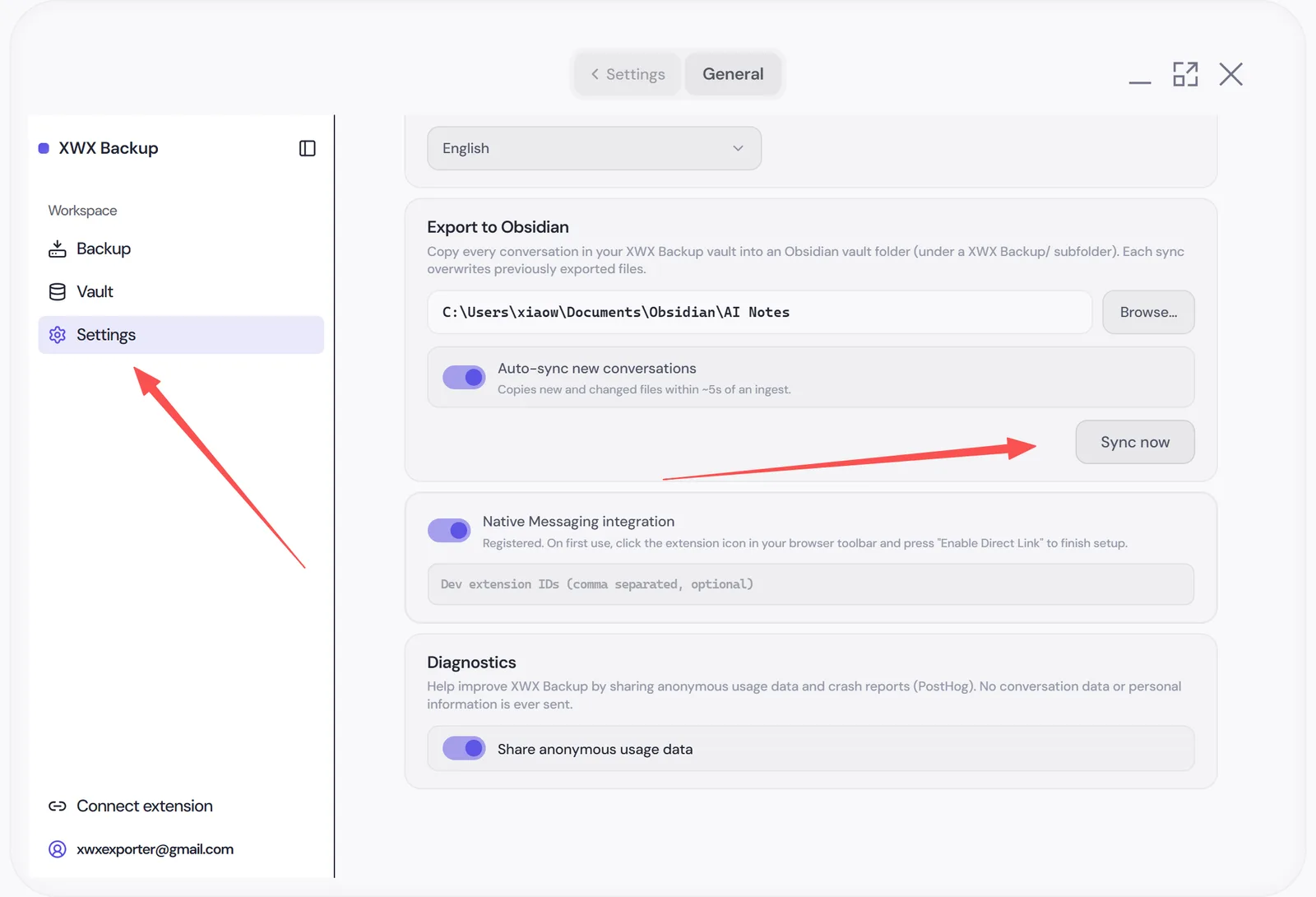
In Settings → Vault, find Export to Obsidian:
- Click Select Obsidian vault folder and pick your vault root
- The app validates the folder (it must contain an
.obsidiansubfolder) - Conversations sync into an
XWX Backupsubfolder inside that vault - Click Sync now for the initial copy — after that, new and updated conversations are mirrored automatically (auto-sync is on by default; you can turn it off or trigger a manual sync anytime)
What lands in your vault
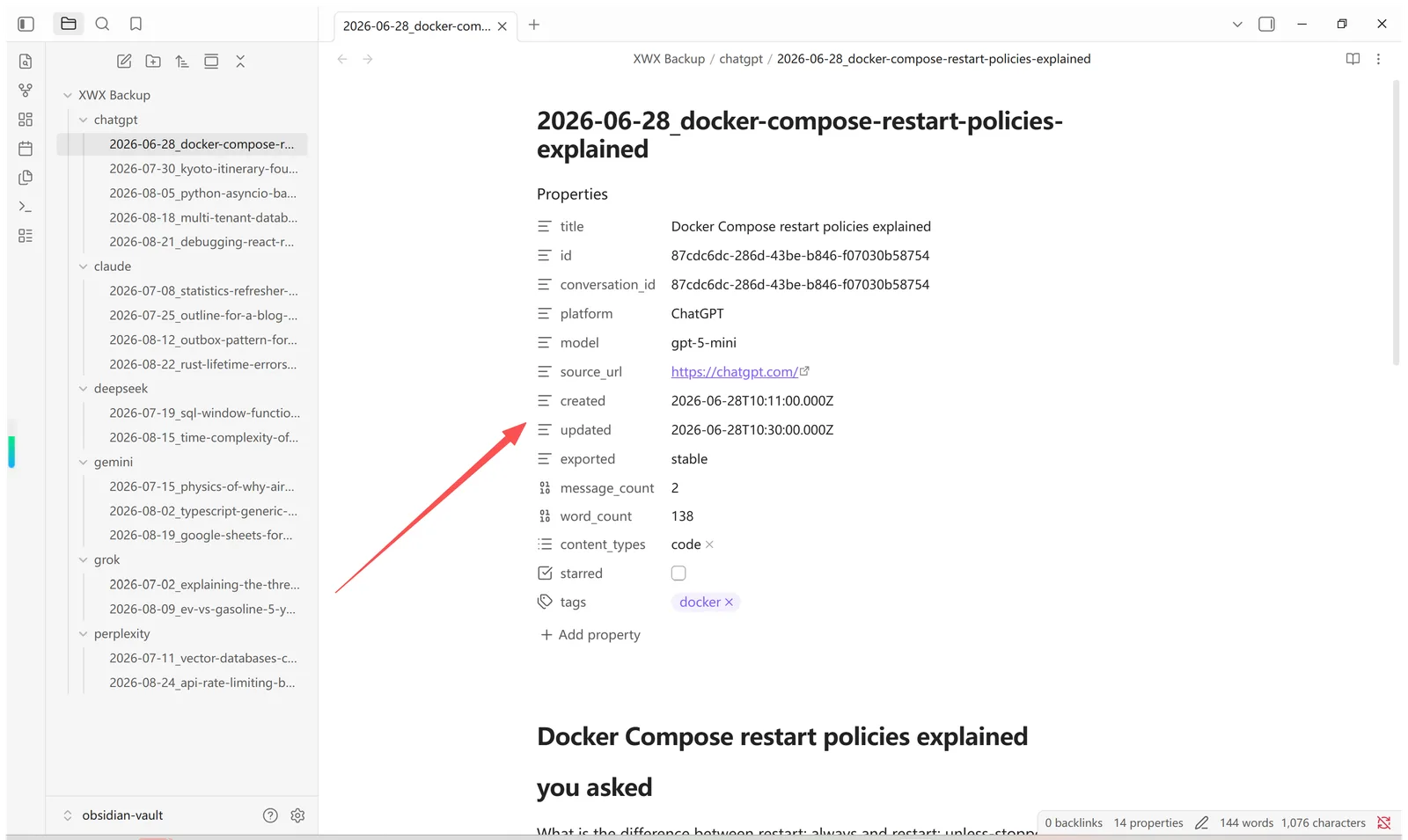
Every conversation becomes one Markdown note:
---
id: "a1b2c3d4"
platform: "claude"
title: "Debugging the WebSocket reconnect loop"
model: "claude-sonnet-4-5"
created_at: 2026-08-12T09:14:00Z
updated_at: 2026-08-12T11:02:00Z
messages: 24
tags:
  - "xwx-backup/claude"
---

# Debugging the WebSocket reconnect loop

…full conversation as Markdown…
Frontmatter fields power Obsidian workflows: Dataview tables by platform or tag, tags: for your taxonomy, and created_at/updated_at for sorting and timelines.
Images and Generated Files
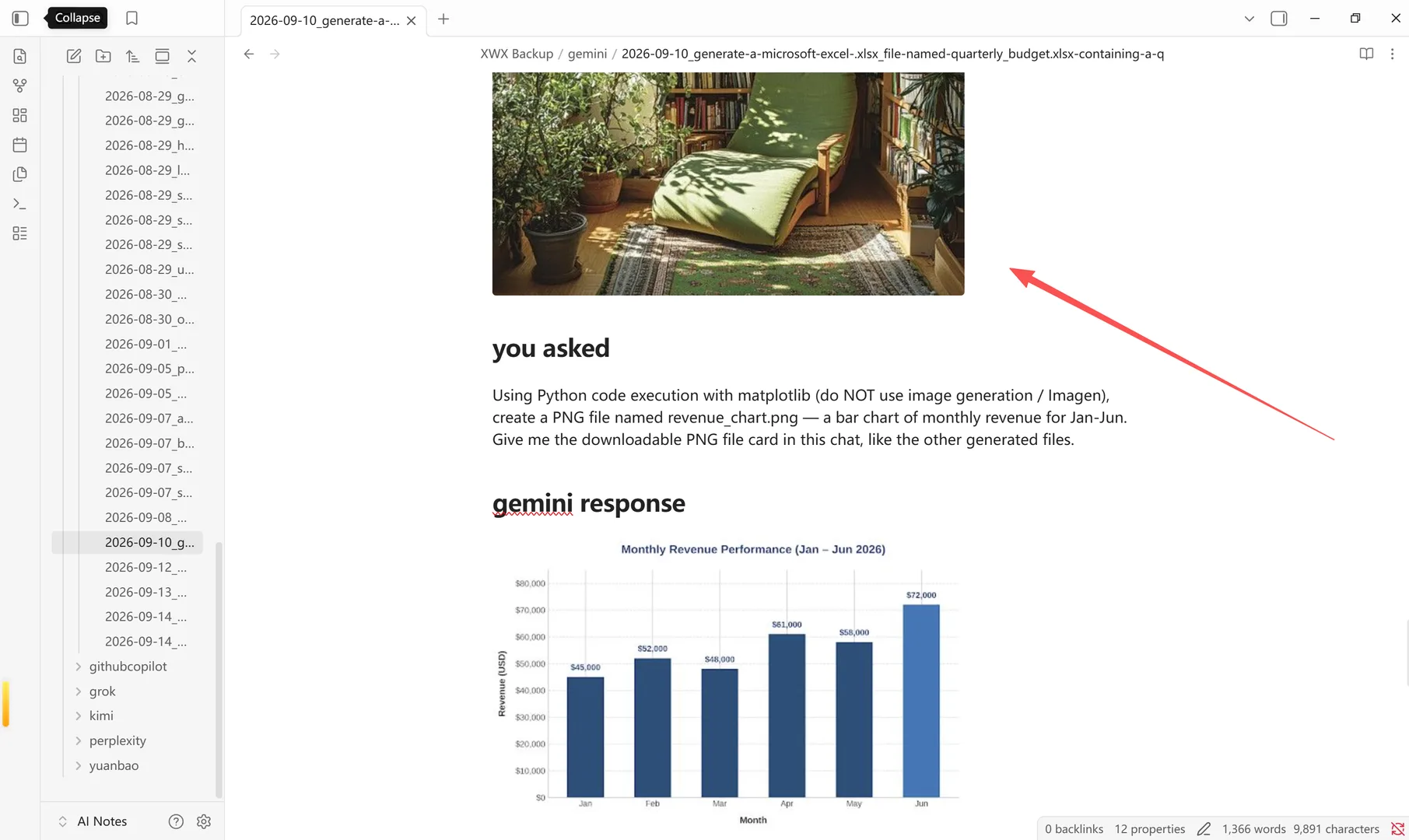
When asset sync is on, batch export writes each conversation’s images and downloaded files into a single assets/ folder beside the Markdown note, and Obsidian Sync copies that folder along with the note. Inside Obsidian the AI’s images render inline and generated files open as clickable links. (A single export from the browser extension uses separate images/ and downloads/ folders inside its ZIP; the desktop vault keeps them together in one flat assets/ folder.)
Sync semantics
- Sync is manual or automatic: after the initial Sync now, new and changed conversations are mirrored within seconds (auto-sync is on by default once a vault is configured)
- Only new and changed files are written — notes you’ve edited inside Obsidian are left untouched unless the conversation itself changed
- Deleting a conversation in XWX Backup does not delete its note from Obsidian; the synced folder only grows, so it’s a safe, append-friendly archive
Frequently Asked Questions
Does sync conflict with the Obsidian Sync/Sync plugin?+
No special handling needed — files are ordinary notes. Avoid having the same folder synced by two tools simultaneously, as with any synced folder.
Why is the subfolder called “XWX Backup”?+
The subfolder name is fixed so the sync can reliably track exactly which notes it owns. Keep it as-is — you can still link, tag and organize those notes from anywhere else in your vault.
Why must the target contain an .obsidian folder?+
It’s a safety check: syncing into a random folder would scatter notes outside a real vault. The validation prevents mistakes.
Are deleted conversations removed from Obsidian too?+
No. Sync only adds and updates files; deleting a conversation in XWX Backup leaves its note in your vault. That makes the Obsidian folder a conservative archive — nothing disappears just because you cleaned up the app.
Can Dataview query the synced notes?+
Yes. Every note carries standard YAML frontmatter (platform, model, created_at, updated_at, messages, tags), so Dataview tables, calendar views and graph queries work out of the box.