Vault & Full-Text Search
Everything XWX Backup saves lands in the vault — plain Markdown files on your disk, backed by an instant search index. This page explains how the vault is organized and how to find anything you’ve archived.
Where the vault lives
By default the vault sits in your user directory (~/.xwx-backup/vault). Change it in Settings → Vault if you prefer another drive or a synced folder.
- One Markdown file per conversation, organized in per-platform folders
- YAML frontmatter on every file: id, platform, title, model, created/updated timestamps, message count and tags
- The file layout is deliberately boring: any editor, script or PKM tool can read it
Use Re-scan after editing files externally — it rebuilds the search database from the files on disk.
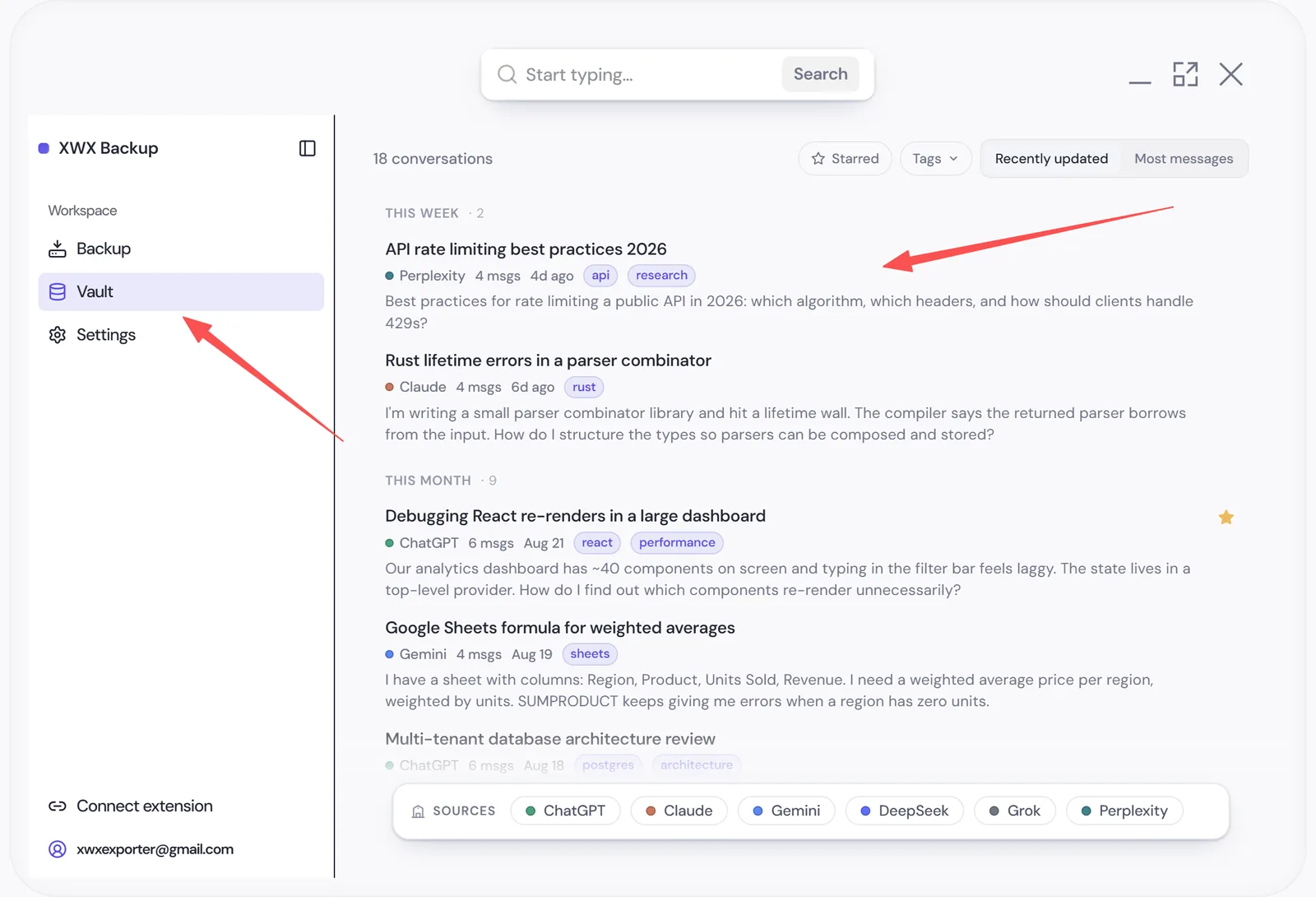
Full-text search
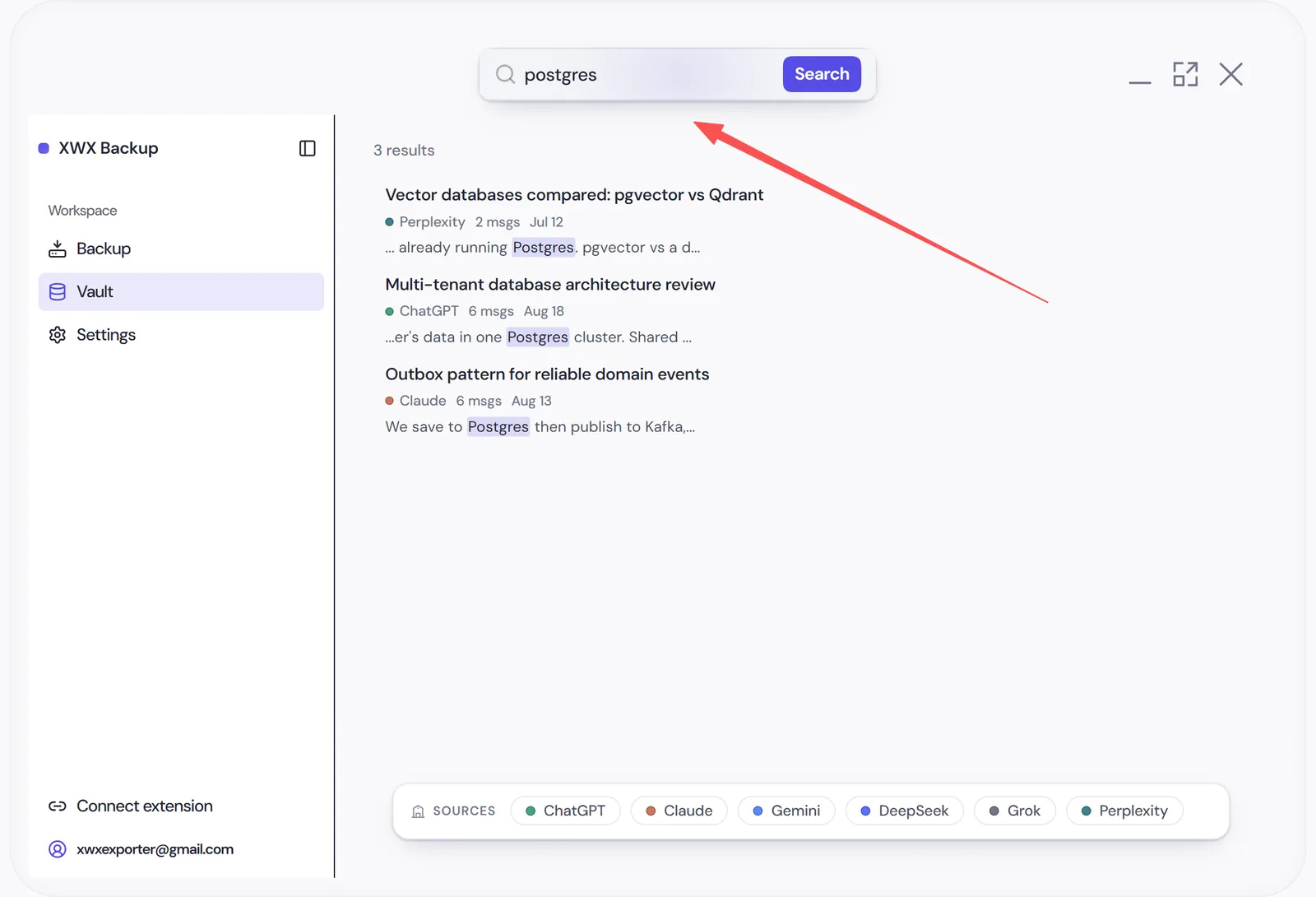
The search bar queries the full text of every message in your vault — not just titles — powered by an SQLite FTS index that returns results in milliseconds.
- Search matches message content across all platforms at once
- Results show title, platform, date and matched snippet
- Click a result to read the conversation in a clean reader view with syntax-highlighted code
Filters, tags & stars
Combine search with filters to narrow the archive:
- Platform — ChatGPT, Claude, Gemini, …
- Account — for multi-account platforms
- Date range — by conversation update time
- Tag — edit tags freely on any conversation
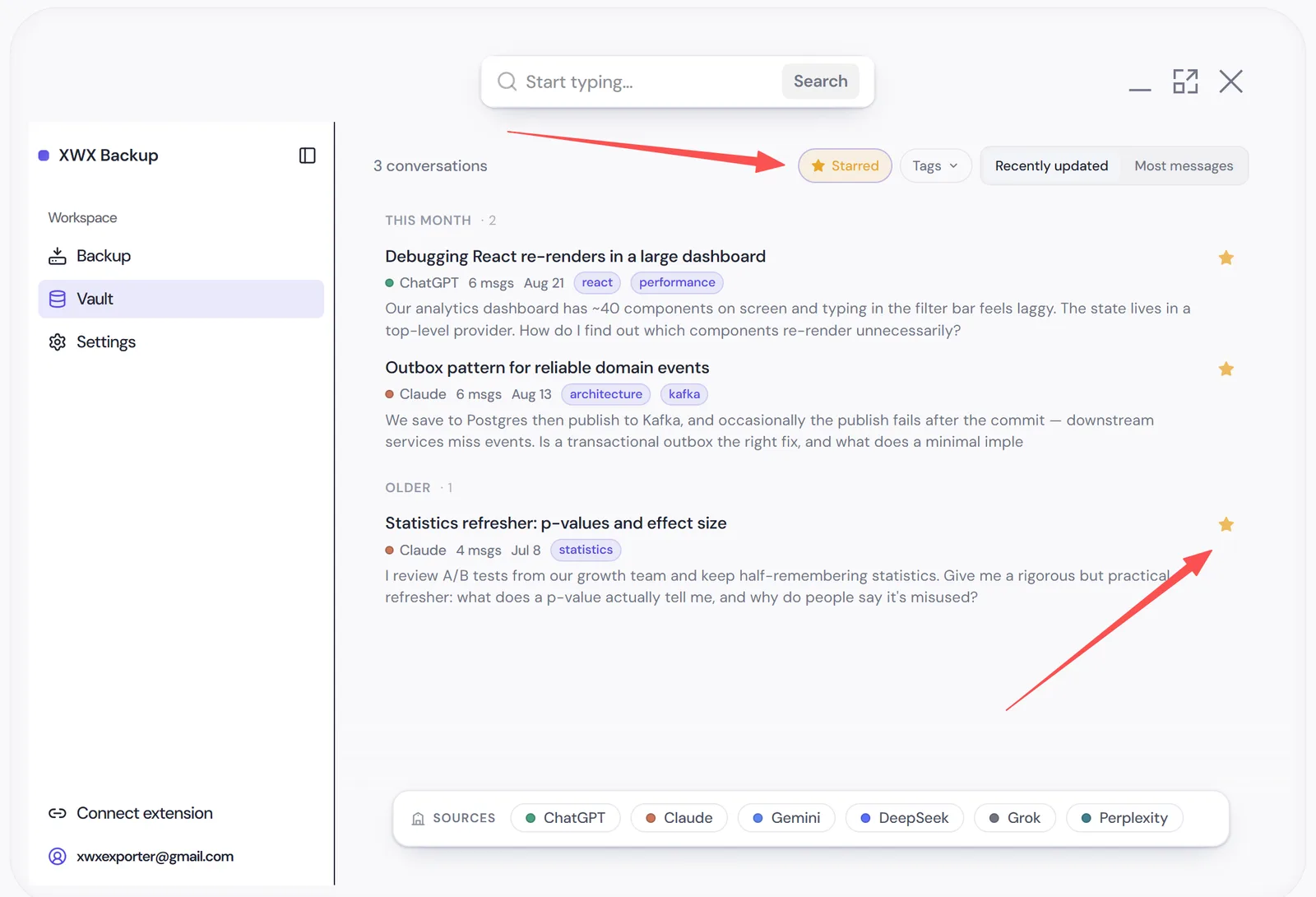
- Starred — flag important conversations and filter to them
Tags and stars are written back into the Markdown frontmatter, so they survive outside the app too.
Maintenance: re-scan, clear, zip
- Re-scan vault — re-reads all files and rebuilds the search index (run after external edits or restores)
- Package as ZIP — bundle the current filtered selection into a ZIP archive for offsite storage or sharing
- Clear archive — deletes vault contents and the index. Destructive; your settings are kept
Frequently Asked Questions
Can I edit vault files in Obsidian while using the app?+
Yes — the vault is plain Markdown. Run Re-scan afterwards so the search index picks up external edits. If you want a dedicated Obsidian folder, use the Obsidian Sync feature instead.
How do I back up the vault itself?+
It’s a folder of files — include it in your regular file backup (or put it inside a synced/cloud folder). Package-as-ZIP is convenient for periodic snapshots.
Search finds nothing after I restored files manually. Why?+
The index needs rebuilding: Settings → Vault → Re-scan.
Can I search my ChatGPT, Claude and Gemini chats in one place?+
Yes — that’s the main reason the vault exists. Platform-native search only covers titles (and often only recent chats), and it can’t see across services at all. XWX Backup indexes the full text of every message across all your platforms in one local index, with results in milliseconds.
Can I use the vault with Logseq or other Markdown tools?+
Yes. The vault is plain Markdown with standard YAML frontmatter — no proprietary format. Obsidian, Logseq, VS Code, grep, static-site generators or your own scripts all work directly on the files.